Thursday, June 21, 2012

Worried about iOS6 maps


I'm worried!

I really like google maps, and have invested a lot of time adding content in 2D and 3D to it. That was great as our desktop map data matched our mobile map data. I am very interested in 3D and have created my own content in Google maps 3D using sketchup.

Apple's 3D mode (enabled through their purchase of C3 technologies) looks good at first but there are issues, it appears to use 3D mode for satellite view as well, but since most of the world has not been mapped you may end up with a blurry mess when looking at locations that have not been mapped in detail. The 3D mode is good except it is just basically a very detailed texture map draped on top of a very detailed elevation map. This means that there can be no holes in 3D objects.

A well crafted 3D model can look much better than an auto generated 3D model.

A 3D model I made using Google Sketchup

An auto generated 3D model created by C3 for Nokia

I am very concerned about the 2D map tile quality that Apple is using. To be honest, compared to open street map, and Google, Apple's 2D tiles are not at all good. This is especially true if you live in the UK. The zoom level is also lacking in detail and very poor.

Apple's (map tiles)

Open Street Map (map tiles)

Google (map tiles)

Open Street Map (zoomed) - Notice building outlines

Google Maps (zoomed) - Notice building outlines

Nokia's Satellite view for Exeter using C3's 3D mode


Google's Satellite view for Exeter


Google's Exeter University 3D building view


Now if Apple combined map vector info from open street map with their own tiles, and offered a crowd sourced geo reference building tool to add information I could be persuaded to come on board, but I will also miss street view built into the maps app.

I understand that Apple (and many users, including myself) were not best pleased with Google holding back their best tech to only work on Android. I've been annoyed that Google did not implement 3D building support in Google Earth on iOS, as this would be a piece of cake for them to do.

I'm not entirely happy about Apple dropping Google for maps, but I can see why they had to with Google's apparent attitude towards iOS. This move may teach google a lesson, but It may be the users that pay the price!


http://www.refnum.com/tmp/apple.html tiles comparison between Apple, OSM, and Google map tiles.

http://maps.nokia.com/50.7198485,-3.5317789,17.61,301.84,50.27,3d.day Nokia 3D maps using C3 tech, should be similar to Apple's, is my area covered?


http://maps.exeter.ac.uk/ This will display all of Exeter University's points of interest on a Google Map in 3D, with 3D buildings which are quite detailed. Normally we don't display all the points of interest like this, but check out the 3D terrain satellite quality compared to Nokia's 3D satellite view, it is far superior. Trouble is now our mapping tech won't be the same across all platforms! We have made 120 quite highly detailed 3D models for our University.

Having said all this, I have not used iOS 6 on a 3rd gen iPad to test this out yet, maps may be better when iOS6 is actually released, and their 3D mode may be better than Nokia's C3 developed 3D mode... But I'm still a little worried about maps quality on iOS.

Saturday, April 7, 2012

I've seen the future


While looking at the Ubuntu website today i was inspired by a particular page showing an Android mobile phone running Ubuntu desktop connected to a full size display with keybiard and mouse.

This makes so much sense to me. Instead of buying a desktop computer and a mobile device and then keeping the two in sync, why not just get a really powerful mobile that becomes a desktop when you need it, and turns back in to a mobile when unplugged from your desktop peripherals!

Arguably Ubuntu is the only OS that seems to have made a combined UI that works equally well on mobile systems as well as desktops, even televisions! Microsoft has tried to do this with windows 8, but so far appears to have failed. Apple has a different, but very good approach, with a separate desktop optimised OS and mobile optimised OS.

There is only one really annoying thing about ubuntu for me, and i would be so glad if a Linux genius could help me with this. Why oh why does Ubuntu play quicktime video at half resolution? I know it is possible to play quicktime video in ubuntu perfectly as it works a treat in the Ubuntu based Linux Mint. What do i have to do to get ubuntu to play quicktime video at full resolution?

Actually there is one other thing that annoys me about ubuntu, and that is it's future direction. Cononical (the makers of Ubuntu) appear to be removing menus in favor of a search keyword. If i wanted to type a menu entry instead of click on it, I'd go back to DOS.


However it just might come to pass that Apple gets this right first. How about an iPad that becomes your full desktop computer and presents you with a different UI just like Ubuntu for Android, but with the additional benefit of a Hi-DPI display as a second monitor?

Posted via DraftCraft app

Sunday, March 25, 2012

Battery tips for iPhone 4S


I've been asked a few times about battery settings for the iphone. Specifically the 4S appearing to not have as long a battery life as the previous model. The iPhone 4S has a few extra features which can draw more power, however if you dont use these features, turning them off can really help to make the phone last longer on a single charge.

My record is currently 14 hours, straight, with heavy useage.

First turn off the settings below.


In General/Usage settings, turn on the battery percentage indicator.


Turn off 'Raise to Speak' this appears to be the one option that makes the most difference to power usage. I also took the opportunity to pop into 'Notification' settings to stop some apps notifying me, although this does not save much in the way of power.

Location Serices can remain on, as the GPS is only engaged when needed. Also there is no point having a location aware device, if you turn off all location services. It is a good idea to turn the location status bar icon on, so that you can see when GPS services are being used.

Using geofence facilities will require more battery power, such as asking the phone something like "remind me to buy milk when I leave work", the "when I leave work" request would set a geofence for that reminder.


The 'find my iPhone service' can be left on since it will only use GPS when you try to find your iPhone using another iOS device or the http://www.icloud.com/find service. I have turned off iCloud backup for everything that I don't need. I use Microsoft Exchange to sync my mail, calendars and contacts, and I use xmarks to synchronise my bookmarks, so there is no need to sync these to iCloud.


Posted via DraftCraft app

Saturday, February 25, 2012

Desktop.ly


I've been using a service for a few weeks now that lets people share their desktops, it is superb, implemented superbly, from a superb idea. I'm going for the record for the number of times the word superb can be included in a blog post, superb eh? There's another one.


So what's so superb about it? Well it allows you to host your desktop and mobile screenshots together with beautiful artwork of the device itself, it also includes Markup based text to explain what's going on on your desktop / mobile device. I've lost count of the number of times I've been asked about the apps I use and how my desktop layout works. Desktoply allows me to share this info with a simple link.

The superb website is coded in near perfect HTML compliant code (I say near perfect as there is a slight issue with CSS rendering on mobiles when the devices are rotated) by the superbly talented Dean Perry @deanperry.

I will be making a great deal of use out of Desktop.ly, and I'll be watching Dean's other projects with interest. This lad will go far I tell you.

Posted via DraftCraft app

Monday, February 6, 2012

iBooks, iTunesU and Authors


I'm blogging again, using an app that allows me to just get my thoughts down. I find it all too easy to get distracted. I think of something that would make a good blog post, then I don't write it down there and then. A few minutes later my brain has moved on to something else, and I have completely forgotten what I was thinking about with no hope of being able to remember.

The stunningly simple, but in a way very deep and clever app that I now use is called 'PlainText' But this post isn't about that, so I'll leave that for another day.

Apple (yes my favourite tech company and all things iMaker) has released a revolutionary new offering to the education market in a triumvirate of apps and an ecosystem update. There is an updated version of iBooks which takes advantage of very rich multimedia books and textbooks. A new mobile version of the superb free educational podcast section of iTunes called iTunesU, which allows full lesson plans and courses to be constructed. This brings together all the elements of study, together with a new (Mac only) app called iBooks Author which allows you to create amazing multimedia interactive experiences.

All of these things are completely free!

So what makes this a revolution? Surely we've had books before, whats so revolutionary about electronic books? Well apart from being able to carry every single book from every course on your iPad instead of breaking your back carrying around lots of very expensive bits of dead tree, they are linked to your courseware including teacher notes delivered through iTunesU, they are searchable and include dictionary definitions for those whose first language is not English, your notes exist forever and get synced to iCloud, and as you study flashcards are created automatically for revision. There is a lot more, I am literally just skimming the surface.

In all honesty, the real revolution is that now anyone can create very rich mobile media experiences. It is no longer limited to big companies, with big budgets, and big apps. The revolution is what people will do with it.

Some have criticised Apple for having a special tool that creates a special book that can only be viewed in all its glory on an iPad. I'm sorry but I fail to see the problem, the way a book designer works won't change. They currently write the text for a book in a text editor, they paint in a paint package, they edit video in a video editing package, all the while building up a folder full of assets. They currently then drag and drop those assets into the software they use to create electronic books for Amazon Kindle and PDFs. So iBooks Author is just another tool that electronic book makers can drag and drop their assets into.

Now think of an electronic book that is 1,000 times better, including HD video, interactive elements of HTML, simple keynote presentation elements allowing anyone to introduce interactivity into their electronic books without any coding knowledge needed, and even interactive 3D objects using an industry standard file format. What's not to like?

Apple have also been criticised for their licence agreement, although this has since been reworded. It simply states that if you want to sell your book and therefore have Apple give you money you have to sell the iBook in the iBooks store. Where else would you sell an iBook? Apple will give you 70% of the proceeds, you'd be lucky to get 18% from Amazon.  If you want to give your book away, you can do whatever you like with it. If you want to sell an iBook in the iBooks store and a PDF version in another books store, go for it.

Already there are jobs appearing asking for skills building digital assets for electronic books, including skills using Google Sketchup which is the favourite tool used to create 3D objects for interactive iBooks.

Apple uses a modified version of the open ePub3 standard which they have submitted back to the maintainers. The books can already be output in enhanced ePub3, PDF, and the assets used to create the book in ePub2 using Pages and a free ePub template (available on Apple's website) that can be altered to your hearts content. This then covers every electronic book format and device available.

Putting these tools in the hands of the ordinary person is the revolution!

Tuesday, September 6, 2011

The future of gaming?


I've recently been finding out about a cloud gaming service called OnLive. I first saw it a few years ago, and was completely blown away. This sort of thing is supposed to be impossible. The service seemingly broke the laws of physics! If you watch the genius of Steve Perlman giving an iTunesU lecture it all makes sense.

OnLive runs Windows games (and potentially games for other systems in the future) in the cloud, in a data centre on very powerful gaming rigs. After downloading a small 1mb piece of client software available for Mac(OSX), PC(Windows), PC(Linux-soon?) and even your TV through an inexpensive micro console, you are able to play any game on any system.

The virtual game runs on a virtual system on a virtual graphics card streamed to any system, it uses custom hardware in the data centre to compress the video signal taking only 1ms per frame! This means you don't need a powerful computer or console to run a game, you never have to upgrade expensive graphics cards, there is nothing to download, and your games are saved in the cloud with your OnLive account. You can even post video of your gaming prowess instantly without the need to make or edit video files. What OnLive have achieved is truly staggering!

If you can do this in the cloud, you could do anything!

I can start a game on my iMac, play a bit more on my Sony Laptop, move to the TV and play some more, carry on where I left off on a netbook that has a graphics card and processor that would normally not be able to run the game at all. There is an OnLive viewer application available for the iPad, iPhone, and Android, which will soon also be able to play games. Imagine playing a Windows game on the iPad which looks like it is playing on a top of the range very expensive PC gaming rig!

Check out this video of my driving skills playing DiRT3 on the Mac using the OnLive service. This game is not available for the Mac, but runs like a dream. The frame rate in the video looks fairly low, but that is only because I am recording the whole screen at 30fps. The actual fps is very smooth, even on my modest broadband setup.

The OnLive cloud gaming service is coming to the UK 22nd of September!


Sunday, August 21, 2011

Trying to play a game

Men are simple creatures... All I wanted was to play a game, starting Half Life 2 episode 1 after recently completing Half Life 2, arguably the best game ever made!


I was using a Windows 7 system, Steam, and The Orange Box.

Unfortunately I had to earn the right to game, by going through a torturous process..

1. Boot.
2. Windows decided it was not registered, I had to install the Juniper VPN client to connect to our licensing server.
3. Virus killer updates were needed.
4. Adobe reader decided that it needed to patch itself.
5. Steam wanted to update, which is fair enough but it initially refused to connect to my account.
6. Then there are the usual windows updates and dropbox syncing.

Windows isn't doing anything wrong but it took 30 minutes to be able to start a gaming session. I only had an hour :( perhaps a computer should be used for computing and a games machine should be used for gaming?

Now that steam is available on the Mac, I think I'll be swapping to that in future as when it boots it only needs to do steps 5 and 6 above, and it does this quicker than windows. I'll also be gaming more on the iPad playing stunning games like RealRacing2HD.

I am also very interested in the OnLive service, cross platform cloud gaming, if my broadband speed can keep up.


- Posted using BlogPress from my iPad

Saturday, May 28, 2011

History about to repeat itself?

When I was using a PowerPC based Mac, I could have spit my biscuit across the floor in disbelief as I watched a particular Apple keynote. In said keynote Steve Jobs said that Apple had secretly been working on a version of OSX running on Intel processors for 5 years!

Nobody saw it coming!

As is the way for almost all Apple products, the transition from one CPU to a completely different one was slick, seamless, and incredibly well done. Now all Macs run on Intel processors, which allow them to do fantastic virtualisation and even run windows natively. In fact many people (myself included) think that Windows runs best on the Mac.

Why do I bring this up?

In the desktop / laptop world Intel is king, however they have not had as much luck in the mobile market, where ARM is the most popular processor maker, powering devices like the iPad, although Apple actually use their own CPU that uses Arm technology. Rumours abound that the next version of Windows (in a very familiar sounding move) will work on both intel and ARM!

Macs can now easily run Windows. It will be a huge shock if one day, it may be possible to run Windows natively on an iPad. As more iOS technologies move into OSX, will this be mirrored by Windows mobile technologies moving into windows to create the next mobile friendly windows?

There are even rumours that an Arm version of OSX exists. Where does that leave intel?

More to the point, would anyone want to run windows on an iPad, even if we could?

Sunday, May 15, 2011

Apple feedback

Apple have had a feedback form for a number of years at http://www.apple.com/feedback

Here is my latest feature request for iPad
---
I have had a stunning idea, it would be great for users, and be very easy to implement.

iTunes has a share photos on your network feature. Allow the photos app on iPad to connect to this, then allow ratings and comments to be added that sync back to your master iphoto library on your Mac.

This will be a killer iOS / Mac integration feature that would be stunningly useful for photographers. Get to it, cool Apple dudes!

---

Let's see if this gets into iOS 5. They have implemented a few of my previous suggestions already!


- Posted using BlogPress from my iPad

Saturday, April 2, 2011

Mobile Safari bookmarks tip

No idea how I missed this, as I've been using mobile safari on iPhone and iPad for ages. I have just noticed that the bookmarks bar appears when tapping on the search or address bar. This is particularly useful as I sync all my browsers with the stunningly useful xmarks browser addon. I then sync my iPhone and iPad with safari.


This means that every time I sync my iPhone or iPad I always have my latest bookmarks. Also every time I change or add a bookmark on any computer it appears on any other.

Awesome!


- Posted using BlogPress from my iPad

Tuesday, March 22, 2011

Magic mouse tips

I am a fan of Apple's Magic Mouse. It has some great features, but it has a serious flaw for anyone that needs a middle mouse button. It doesn't have one!

I use a middle mouse button extensively with applications such as Google's SketchUP 3D software. There is a solution for magic mouse users to get their middle mouse button, in the shape of MagicPrefs. This application is so good that it should be thought of as a must download for all Mac users with a magic mouse. And it's free!

My second tip is to find out how much battery juice you have remaining. Simply hover your mouse over the entry for Apple's wireless mouse on the Bluetooth menulette.


My last tip is the purchase of Apple's new (ish) battery charger. What's so special about a battery charger? Well this little beauty includes 6 of the best rechargeable batteries you can buy. While many lesser batteries discharge easily over a month, Apple's rechargeable batteries stay fully charged for a year!

- Posted using BlogPress from my iPad

Sunday, February 27, 2011

Just two types of Operating System

I was having an animated discussion with a couple of collegues the other day. We were chatting about the relative merrits of OS's, as you do...

Some good points were made by all,including "the iPhone is too expensive for what it is", iOS is not as customisable as other Os's, and "iOS is too locked down, I bought the device, it should be my choice what I run on it"...

Then I said something controversal! I said that there are just two types of OS in the world. There are Windows based OS's or Unix based OS's. I then followed this up with the even more controversial statement, that if you count up every electronic item in your house that uses an operating system and made a nice little table, you would find that devices running Unix based OS's outnumber devices running Windows based OS's.

Devices such as a dell laptop (windows 7), and dreamcast games console (windows CE) are windows based. whareas devices such as Mac laptop (OSX), and Playstation games console are Unix based. Some devices run an embedded OS stored on chips instead of discs. I've not done any detailed research to find out what OS my washing machine runs for instance, but these embedded OS's are usually derrived from freely available Unix varients.

OSX arguably the most advanced OS on the market, was itself based on the free verion of BSD called freeBSD, which was itself based on the original Unix.

As a side note, many people don't know what OS their devices are running. I met an extreme Windows fan while on holiday, who insisted that he would never think about using any computer that didn't use windows. I had to point out to him (sorry couldn't resist it) that his phone (a pocket computer after all) was running Android, a mobile version of Unix ;)

So here is a little chart I made showing the devices I have (minus the washing machine), and the type of OS that runs on them. I wonder what other people's charts would look like?

Sunday, March 21, 2010

Computers, computers everywhere!

We have lots of computers in the house, using a lot of differnt OS's. This isn't an accident, it is carefully designed that way. At last count (including smartphones) there are probably 6 computers!

A sony laptop (Windows 7, PCLOS, Linux Mint), a Macbook (OSX Snow Leopard, Windows 7), an iMac (OSX, Windows 7), two iPhones and a Blackberry, oh and I almost forgot - an Aspire One netbook running Linpus linux. On our network we also have an Apple Time Capsule, which is a wonderful automated backup server, a router, an N wireless access point, file server, and print server. The Time capsule is plugged into our Netgear router and G wifi access point.

Now, if we had a house full of Macs things would be rediculously easy. To set up a Mac to backup and print you simply need to choose Time Machine from System Preferences and turn it on, if you are wired or wirelessly connected it just sets itself up, just turn it on! Similarly with wired and wireless shared printing, just go to 'Printers' and connect to the printer, the correct drivers are downloaded, installed and kept up to date automatically. Even the current level of ink is displayed when connecting to the printer wirelessly from the Macbook.

This is truely 'zero configuration' which Apple calls 'bonjour'

However, there are lots of other computers in the house running OS's other than OSX. Can they use the Apple server for backup, files, and remote printing?

I can see the Time capsule on the network using the other computers, and was able to browse files but I was never able to set it up to print. I must admit I struggled with Linux for a while until I saw an error message that said something along the lines of 'I can't see the printer, install CUPS server'. Silly me, CUPS stands for 'Common Unix Printing System'. If Linux had no CUPS server, how could it find the printer? I was getting confused about adding a server to a client to connect to the server.

Hint: click 'server/enable CUPS'

Using linux mint this was already installed, but not enabled. I simply had to click on printer configuration, and turn on CUPS, doh! Then it just worked just like the Mac. I had to give myself a good slap at this point as I had been messing around typing in complex server strings including port numbers, and I didn't need to do any of that.

Next up was Windows, which again I'd never been able to set up to print. I discovered the problem though, which was due to me wanting the Apple airport software for Windows to work in a specific way. It wouldn't. So the solution was to let the software do what it wanted to, then it worked flawlessly with the printer.

Both the Macs and the Linux machines allow us to remotely print without waking up the server so that it spins up its hard disks, they simply link to network servies and only activate the service needed when it is used. Windows on the other hand has to fully wake up the server in order to mount a drive and mount the printer, the server goes to sleep again after a few minutes , but trying to get Windows to not do this seems impossible.

However, the good news is that I can now watch video from any computer or OS in the house, the iMac and Macbook do wired and wireless hourly backups without the user even noticing using Time machine, Windows, Linux and OSX can all print wirelessly and files can be easily shared between computers. Huzzah!

Note to self!

I've been exceptionally busy / lazy over the last few months. I've neglected my blogs / facebooking and twittering, keeping up with this social networking malarky is actually quite time consuming.

So now that I've caught up with my podcasts, edited my bookmarks (which had gotten out of control-actually I'm still doing this), facebooked, twittered, sorted email folders (why don't I just use search instead?), I think I can write a blog post or two.

You wait ages for a blog entry, then two come along at once. Typical!

Saturday, February 13, 2010

What does Apple's latest iThing mean for education?


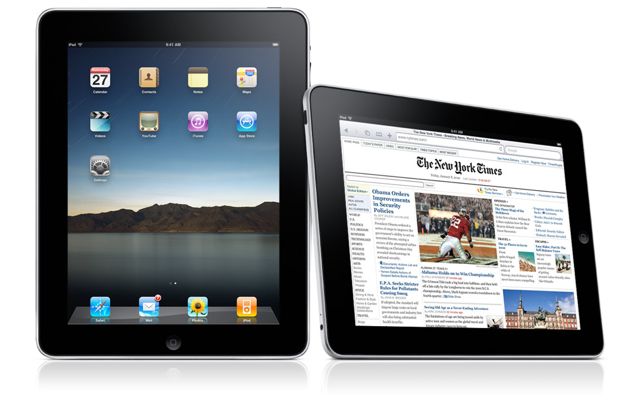
Whilst Apple are certainly not the first to enter into the tablet market, it's iPad could make a significant impact within education. The word tablet is often used to describe a mobile computer with a keyboard and a rotating screen which can fold back on itself. Mobile devices like Apple's iPad are described as a 'slates'. In fact Rich has certainly been ahead of the curve as he has been using pen based slate systems from Motion Computing for years!

So what specific advantages does the Apple iPad have to offer eduction?

  • The OS does not have to be installed by the University
  • It boots in 15 seconds from solid state storage
  • Users can update their OS without IT department help or affecting set-up
  • It is immune to virus attack
  • The student would have direct access to iTunesU, which has already been embraced by many top Universities such as The Open University, Birmingham City University, The University of Edinburgh, Oxford University, Cambridge University, and many more!
  • Library material could be delivered directly to the student
  • Book publishers will be offering course-books as digital downloads
  • Students can manage their educational digital lives, subscribing to University feeds and podcasts
  • The iPad could be used to present work, and run full 'keynote' and 'powerpoint' presentations
  • Like the iPod/iPhone, the iPad should provide Microsoft exchange email, calendaring and contacts services
  • The student could make use of fast wifi 802.11n connections across campus
  • Students could carry all of their course-books and research with them, the iPad weighs only 1.5 pounds
  • With 10 hours usage and 1 month standby, it can last all day on one charge and be easily charged via USB.
  • Students can make use of Wikis and Blogs and collaborate with each other
  • The iPad is an iPod, web browser, feed reader, ebook reader and more it only costs $499 / £319
  • There are no media players, codecs or drivers to install and maintain. It just works.
  • Rich and varied educational apps are available for the iPad from the app store, especially in the field of medicine
  • It is almost perfect for exploring the GeoWeb and mapping services across campus
  • Computer science students can use a freely available software development kit learning to code their own applications
  • Many languages are supported through an enhanced software keyboard
  • It is intuitive, reliable and easy to use
Accessing iTunesU on the iPhone

Medical and Educational apps for iPhone

So, what don't I like about the Apple iPad?

I think the iPad is crying out for a camera. In fact I think it needs 2 cameras, in a front and rear facing design. The front facing 'iSight' camera could be used for Video conferencing using Skype and iChat, with the rear camera used for mapping and augmented reality. Alas the iPad has a distinct lack of cameras ;/

Lack of flash support. Although this might be seen as a severe problem now, the industry may be moving towards HTML5 and web streaming technologies that do not use flash. This could mean this is not as serious an omission as first thought. Using YouTube will not be a problem as it is available in app form, just like on the iPhone. For instance when I click on YouTube content from the Facebook app on my iPhone, the YouTube app launches and plays the video. When I have finished watching the YouTube video, the facebook app launches and takes me back to where I was. I can see flash support working in the same way on the iPad if flash was to appear as an app.

The iPad is single user. I don't like the seaming inability to log into the iPad so it can be easily shared between multiple users. I was hoping that an iSight camera would use face recognition to log each user in.

I would have preferred GPS in every model. It would be good to see the 3G enabled iPad models cheaper, and the wifi models scrapped. While the wifi models will be able to display your location using wifi access points, GPS would allow more accurate use of Google Maps.

There are a few minor negative points about the iPad, but they are far outweighed by enormous potential for the platform. With the trends in mobile and cloud use sky-rocketing, I believe the iPad can only be a success!

Gizmodo has some excellent Slate information

BBC focus magazine iRex iLiad Book Edition £449, winner of the best current ebook reader.

Saturday, December 5, 2009

Great Mac like volume control for Windows

Having a lack of drivers for those extended buttons on my Sony Vaio laptop, I discovered a fantasticly useful application for Windows. It's called simply 3RVX, it allows you to set hotkey combinations to control volume. Such quality freeware!


Sunday, October 25, 2009

Microsoft not compatible with Microsoft?

Microsoft live mail, part of Microsoft Live Essentials offers no support for getting your email, calendars and contacts from exchange 2007!

Not only am I shocked that Windows 7 comes with no email client out of the box, but it isn't even compatible with its own company's mail, calandaring and contacts solution. On my Mac it takes just a couple of clicks to set up exchange support for Apple mail, iCal and Address book all of which are available out of the box. Even Linux in its Ubuntu form comes with evolution mail supporting exchange mail, calendars and contacts.

Further more, isn't the clue in the name? Windows live essentials, i.e. essential apps, i.e. a bloody email client! So in an attempt to slim down Windows 7 which is admittedly much slimmer than Vista but nowhere near as slim as OSX or Ubuntu, Microsoft have chosen to axe essential apps resulting in a much poorer out of box experience.

I like Windows 7, it is certainly the best Windows yet with much to commend. But this just shows that the words 'joined up thinking' and 'Microsoft' cannot be used in the same sentence!

Monday, October 19, 2009

Microsoft Security Essentials

Although I have not yet thrown live viruses at Microsoft's new security essentials virus protection software, initial results have been very good indeed. Microsoft Security Essentials takes only a small amount of memory whilst running, system and file scanning is fast, real-time protection uses minimal system resources, and it has a very efficient virus definitions update process.

I have replaced AVG (free) with Microsoft security essentials and have noticed a big improvement in the speed and responsiveness of the system. So much so, that my aging Sony Vaio with 1gb of RAM has suddenly become a very usable system running Windows 7 and Microsoft security essentials.

Now to set up a walled garden virtual machine environment, and throw some viruses at it to see if anything sticks. If the results are good I can see little point PC sellers pushing the majority of customers to buy 3rd party security suites which generally cripple the computers they run on. Although I doubt that will stop them trying.

Tuesday, July 7, 2009

Laptop and Desktop doomed?

As the popularity of mobile computing dramatically increases in the phone space, there is the distinct possibility that smart phones become the next main computing platform. You would have the ability to slot your mobile into a desktop docking station (possibly inside the display), similarly you would be able to slot your mobile into a laptop docking station. This is not as crazy as it first appears, ten years ago desktop computers were running at a speed of 200Mhz, today the iPhone 3Gs runs at 600Mhz easily able to run complex software. Within 5 years the mobile phone will reach processing speeds into the multi Ghz range allowing complex desktop class software to run.

Modern smart phones already run some desktop class software and OS's (OSX iPhone, Windows mobile, Android), today I could do most of my job just using my mobile. How long will it be before the only computer I need is my mobile phone?

Monday, June 15, 2009

SAASY Google

Software As A Service combines cloud back end services with either web based applications, or synced desktop applications..

What does this mean? It means that Microsoft should be looking over their shoulder in case another company decides it would like to get into the enterprise market. Google has launched their Google Apps SAAS offering which can act as a full exchange solution, with the ability to even migrate an existing exchange environment. Users can even use outlook with all the facilities of Microsoft Exchange without needing the server, or the air conditioned room the server lives in, or the backup infrastructure, or indeed the staff of computer experts to run it all.

It only requires an outlook plugin to work, which unfortunately does not work directly on the Mac. However the Mac can utilise sync tools to talk to Google mail/calendar/addressbook. The iPhone is able to sync with Google mail/calendaring/addressbook directly ironically using Google's licenced Microsoft Exchange solution. This allows Macs and PC's, plus many makes of mobile to use the same exchange like services millions of pounds cheaper than the Microsoft solution.

This is cloud computing at work. Microsoft still has the advantage of an excellent back end solution for PIM functions, many systems including the iPhone and Evolution Mail for Linux can directly sync with Microsoft exchange using a simple direct connection (unfortunately Evolution is not yet compatible with exchange 2007).

The complexity of running your own exchange environment is taken away by using Microsoft's cloud services. I think that Microsoft will move more and more into cloud backend services, and play less of a role in the front end of computer users lives in the future. However, Google has cloud services that work across a larger range of computer platforms and at a much cheaper price than Microsoft's cloud services.

Following the trend through to it's ultimate conclusion, it's clear that the traditional server room will cease to exist, being replaced by just a few massive data centres running hosted cloud services.